Diode laser buying guide
Diode lasers are the cheapest way into laser engraving, and a good one can cut thin wood and engrave leather, slate, and coated metals. This guide shortlists current diode machines in three tiers — budget (about $400 or less), mid-range (up to about $1,000), and notable xTool diode lasers — and tells you what to check before you buy.
Affiliate disclosure
Some links on this page are Amazon affiliate links using the Bearded Builds Associates tag. As an Amazon Associate I earn from qualifying purchases — at no extra cost to you. Links to maker websites are plain links. The xTool links are Bearded Builds affiliate links through xTool's own program, and we may earn a commission on those too. We only list machines we would consider for a student's first or second laser.
Course: Any of these machines runs in LightBurn — Master LightBurn ($249) is how you get good with it.
Prices checked Nov 18, 2026 from the maker's store and Amazon. Diode prices move weekly (sales, coupons, bundles), so treat every price here as a snapshot and click through for today's number.
Jump to
- Quick picks
- How to choose — power vs optical output, work area, air assist, enclosure and safety, LightBurn
- Tier 1: Budget, about $400 or less — Atomstack A10 Pro V2 · Atomstack A20 Pro V2 · Sculpfun S9 Pro · Twotrees TTS-10 Pro · Creality Falcon A1C
- Tier 2: Mid-range, up to about $1,000 — Creality Falcon A1 · Sculpfun E1 · Atomstack A40 Pro V2 · Sculpfun E1 Pro · Ortur Laser Master 3 · Creality Falcon2 Pro S
- Tier 3: Notable xTool diode lasers — M2 · F2 · S1 · F1 Ultra · F2 Ultra
- Before you buy
Quick picks
| If you want… | Look at | Why |
|---|---|---|
| The cheapest way to learn LightBurn | Atomstack A10 Pro V2 or Twotrees TTS-10 Pro | Open-frame 10 W machines near $230 that run in LightBurn |
| More cutting power under $400 | Atomstack A20 Pro V2 | 20 W for about $390 |
| A small, enclosed, beginner-friendly machine | Creality Falcon A1C | Enclosed, camera, auto focus, but only a 150 × 150 mm bed |
| An enclosed machine with a real work area | Creality Falcon A1 or Sculpfun E1 | Enclosed, camera, air assist, bigger beds |
| Maximum cutting power per dollar | Atomstack A40 Pro V2 | 48 W open frame for about $740 |
| Enclosed, 22 W, autofocus, camera | Creality Falcon2 Pro S | Everything in one cabinet, about $850 |
| Best polish, and you don't need LightBurn | xTool M2 | xTool Studio only. It is not LightBurn compatible |
| Diode plus a metal-marking laser in one galvo machine | xTool F2 / F1 Ultra | Small field, but LightBurn 2.2 supports them |
How to choose
Power: look for optical output, not watts on the box. Diode marketing is full of big numbers that are not the beam power. The Falcon2 Pro S listing on Amazon says "120000mW", but that is the machine's maximum electrical power. The beam is 22 W optical. The Atomstack A10 Pro V2 Amazon title says "60000 mW" while Atomstack's own spec sheet says 10 W output. Compare the maker's optical output (sometimes "laser output" or "optical power") and nothing else. Rule of thumb for engraving and light cutting:
- 5–10 W: engraving on wood, leather, slate, and coated metal; thin plywood and card in several passes.
- 20–22 W: comfortable 3 mm plywood cuts and faster engraving.
- 40 W+: thick wood and black acrylic in fewer passes. More heat and more fire risk, so exhaust and supervision matter more.
Work area. Pick the bed from your biggest regular blank, not your biggest dream. Enclosed machines usually have a smaller usable area than the cabinet suggests. A small bed is fine for tags, coasters, and jewelry. Signs and cutting boards want 300 mm or more on each side.
Air assist. A stream of air at the cut keeps flames and soot down and makes cleaner edges. It is close to essential for cutting. Some machines include it (A40 Pro V2, Falcon A1, Falcon2 Pro S, E1, xTool M2) and some sell it as an add-on (the Atomstack A10/A20 and Twotrees TTS-10 Pro). The comparison tables below say which. Budget the add-on if it is not included.
Enclosure and safety. An open-frame diode is Class 4. It needs laser safety glasses rated for the wavelength (about 445–455 nm blue), a fire plan, and a room you can ventilate. An enclosed Class 1 machine is calmer around kids and pets, but it still makes smoke and still needs to vent outside or through a purifier. Read laser eye safety and fire and ventilation and safety before you plug anything in.
LightBurn. Most GRBL-based diodes (Atomstack, Sculpfun, Twotrees, Ortur, Creality Falcon) run in LightBurn. Check these before buying:
- xTool M2 is not compatible with LightBurn (xTool Studio on Windows or macOS only).
- Other xTool lasers (S1, F1/F2 families) work in LightBurn, but LightBurn does not support xTool's built-in cameras. As of LightBurn 2.2, the F-series needs updated firmware and LightBurn's xTool device type. See LightBurn's xTool device page.
- Maker cameras and AI features (Creality, Sculpfun, Atomstack) live in the maker's own software. In LightBurn you position by eye, a jig, or a camera you set up yourself.
New to LightBurn? LightBurn basics is the free primer; the course is the full workflow.
What a diode is and isn't. Diode describes the laser source (a blue semiconductor laser, about 445–455 nm). Gantry and galvo describe how the beam moves. Almost every machine below is a gantry diode (the head slides on rails). The xTool F-series diode is a galvo — mirrors steer the beam inside a small field. Blue diodes engrave and cut dark and opaque materials well but struggle with clear acrylic and bare metal. See laser types.
Tier 1: Budget diode lasers, about $400 or less
Starter machines for learning LightBurn, gifts, and small sales. All five below are LightBurn-compatible and all have an Amazon listing sold by the maker's own store (checked Nov 18, 2026). Open-frame machines need safety glasses and a vent plan.
| Laser | Price (Nov 18, 2026) | Optical output | Work area | Air assist | Enclosure | Camera / autofocus | LightBurn |
|---|---|---|---|---|---|---|---|
| Atomstack A10 Pro V2 | $229.99 Amazon · $229 maker | 10 W | 410 × 380 mm | Optional add-on | Open frame | No / manual focus | Yes |
| Twotrees TTS-10 Pro | $230.99 Amazon | 10 W | 300 × 300 mm | Optional add-on | Open frame | No / manual focus | Yes |
| Sculpfun S9 Pro | $259.00 Amazon · $249.99 maker | 10 W | 400 × 410 mm | Optional add-on | Open frame | No / manual focus | Yes |
| Atomstack A20 Pro V2 | $389.99 Amazon · $369 maker | 20 W | 400 × 365 mm | Optional add-on | Open frame | No / manual focus | Yes |
| Creality Falcon A1C | $399.00 Amazon | 10 W | 150 × 150 mm | Not listed | Enclosed, Class 1 | Camera (grey version) / auto focus | Yes |
Atomstack A10 Pro V2
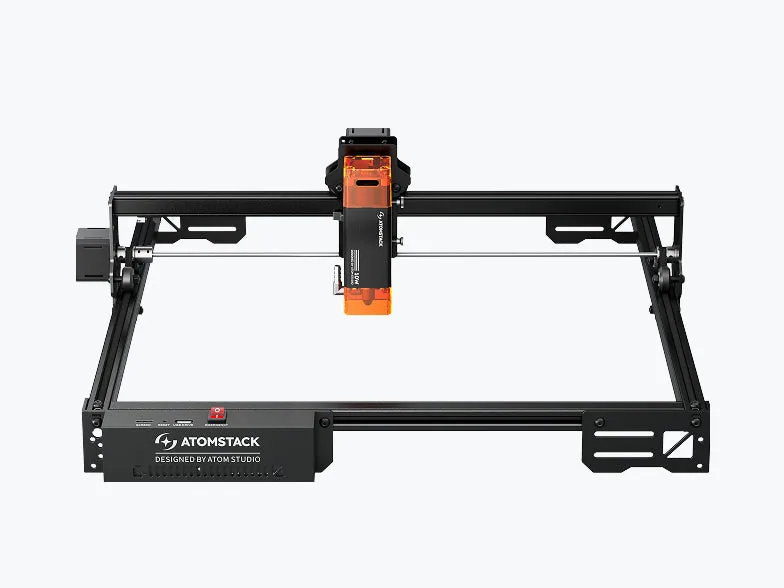
Image: Atomstack
$229.99 on Amazon (maker price $229, machine only; prices checked Nov 18, 2026)
- Laser: 10 W optical output, 455 nm diode
- Work area: 410 × 380 mm
- Features: open frame, linear-rail motion, tip-over alarm, USB and Wi-Fi, manual focus. Flame detection needs an optional Z-axis slider, and air assist is sold separately or in a bundle.
- Software: LightBurn, LaserGRBL, Atomstack's own app and PC software
- Good for: the cheapest sensible entry point with a big bed
- Watch out: budget for air assist and glasses
Where to buy: Amazon · Atomstack
Twotrees TTS-10 Pro
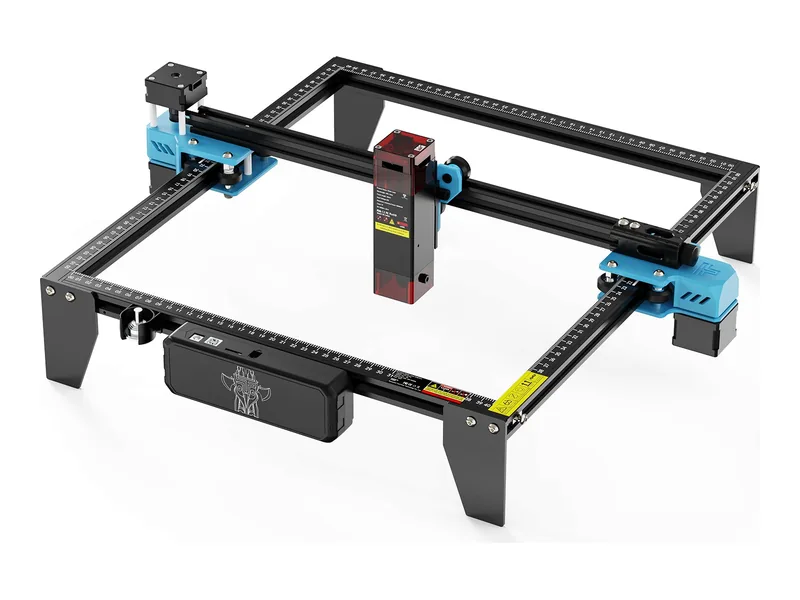
Image: Twotrees
$230.99 on Amazon (prices checked Nov 18, 2026)
- Laser: 10 W optical output, about 450 nm diode, 0.08 mm spot
- Work area: 300 × 300 mm
- Features: open frame, aluminum frame, USB / Wi-Fi / TF card, air assist and rotary are optional add-ons
- Software: LightBurn and LaserGRBL (Twotrees lists both)
- Good for: smaller projects on a tight budget
- Watch out: the smallest bed in this tier except the A1C; skip it if you want to engrave cutting boards or signs
Where to buy: Amazon · Twotrees
Sculpfun S9 Pro
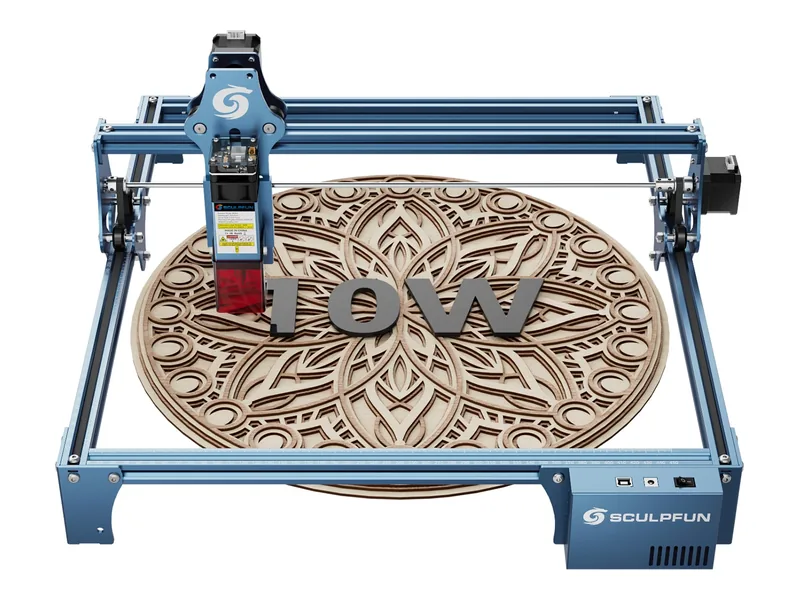
Image: Sculpfun
$259.00 on Amazon (maker clearance price $249.99, ships from China per the maker's variant; prices checked Nov 18, 2026)
- Laser: 10 W diode, 450 nm, 0.06 mm spot
- Work area: 400 × 410 mm
- Features: open frame, fixed-focus sliding head, filter cover, power switch. No air assist in the box.
- Software: LightBurn and LaserGRBL, Windows and macOS
- Good for: a roomy bed and fast setup at a low price
- Watch out: older platform, Class 4 with a filter cover (still wear glasses), air assist is extra
Where to buy: Amazon · Sculpfun
Atomstack A20 Pro V2
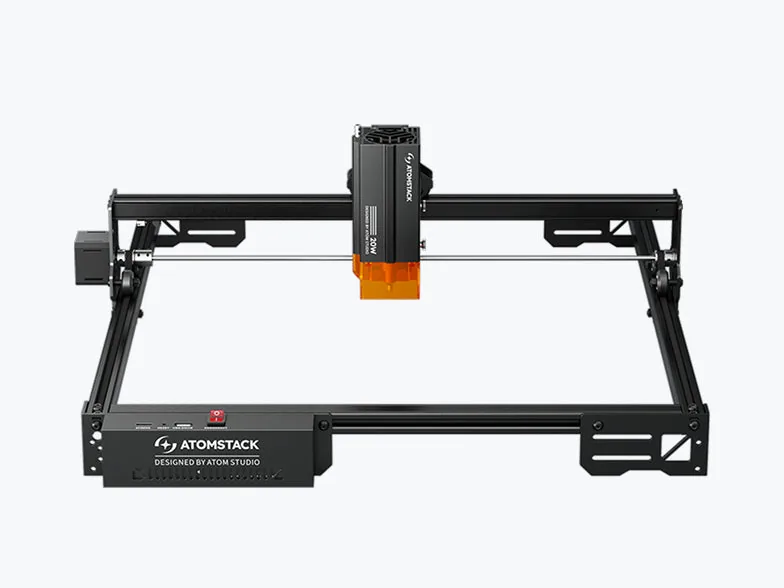
Image: Atomstack
$389.99 on Amazon (maker price $369, machine only; prices checked Nov 18, 2026)
- Laser: 20 W optical output, 455 nm, 0.08 × 0.10 mm spot
- Work area: 400 × 365 mm
- Features: open frame, tip-over alarm, resume after power loss, manual focus. Flame detection needs an optional Z-axis slider, and air assist is a separate kit or bundle.
- Software: LightBurn, LaserGRBL, Atomstack app
- Good for: the most cutting power you can get under $400
- Watch out: 20 W means more heat and fire risk, so add air assist, exhaust, and supervision
Where to buy: Amazon · Atomstack
Creality Falcon A1C
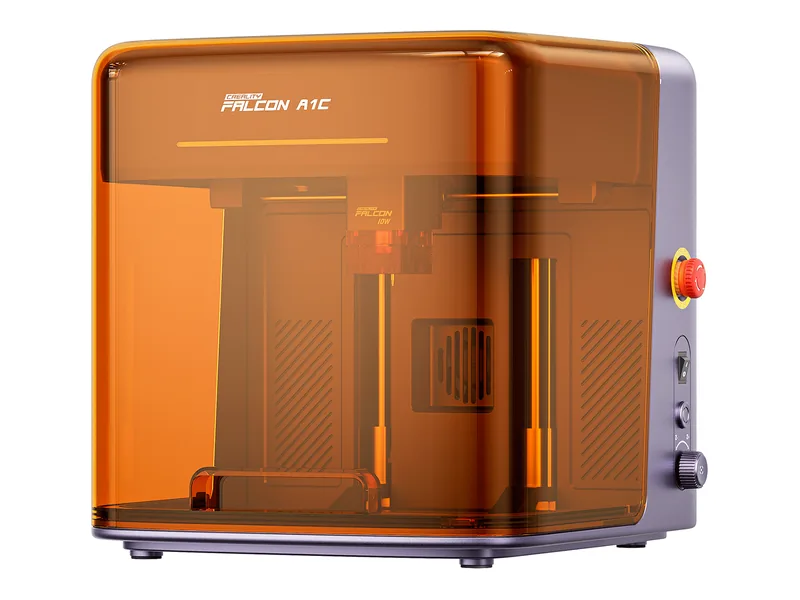
Image: Creality
$399.00 on Amazon (10 W version; prices checked Nov 18, 2026)
- Laser: 10 W optical output, 445 nm, with swappable 5 W, 10 W, and 1.2 W IR modules (extra modules sold separately)
- Work area: 150 × 150 mm (up to 148 mm tall)
- Features: enclosed Class 1, auto focus, flame / tilt / lid detection. The HD camera is only on the grey version, so confirm the camera on the listing you buy.
- Software: Falcon Design Space, plus LightBurn via Creality's
.lbdevdevice file - Good for: a small, tidy, enclosed machine for jewelry, tags, and small gifts
- Watch out: the bed is tiny. It still needs a vent path for smoke.
Where to buy: Amazon · Creality
Bought a budget diode? Master LightBurn walks you from first burn to repeatable, sellable work — lifetime access, one clear path.
Tier 2: Mid-range diode lasers, up to about $1,000
This is where enclosures, cameras, air assist in the box, and 20 W+ beams show up. Prices are Nov 18, 2026 snapshots.
| Laser | Price (Nov 18, 2026) | Optical output | Work area | Air assist | Enclosure | Camera / autofocus | LightBurn |
|---|---|---|---|---|---|---|---|
| Creality Falcon A1 | $549.00 Amazon | 10 W | 381 × 305 mm | Included | Enclosed, Class 1 | Camera / no autofocus listed | Yes |
| Sculpfun E1 | $599.00 Amazon · $499 maker | 12 W | 400 × 320 mm | Air pump included | Enclosed, Class 1 | Camera / manual focus | Yes |
| Atomstack A40 Pro V2 | $739.99 Amazon · $769 maker | 48 W / 24 W switchable (maker rating) | 385 × 400 mm | Included (F60 kit) | Open frame | No camera / auto focus | Yes (as GRBL) |
| Sculpfun E1 Pro | $799.00 Amazon · $799 maker | 21 W | 400 × 320 mm | Air pump included | Enclosed, Class 1 | Camera / manual focus | Yes |
| Ortur Laser Master 3 (20 W) | $829 maker | 20 W | 400 × 380 mm | Air pump included | Open frame | Not listed | Yes |
| Creality Falcon2 Pro S 22W | $849.00 Amazon · $899 maker | 22 W | 13.98 × 15.35 in (see note) | Integrated | Enclosed, Class 1 | Camera / one-click autofocus | Yes |
Creality Falcon A1
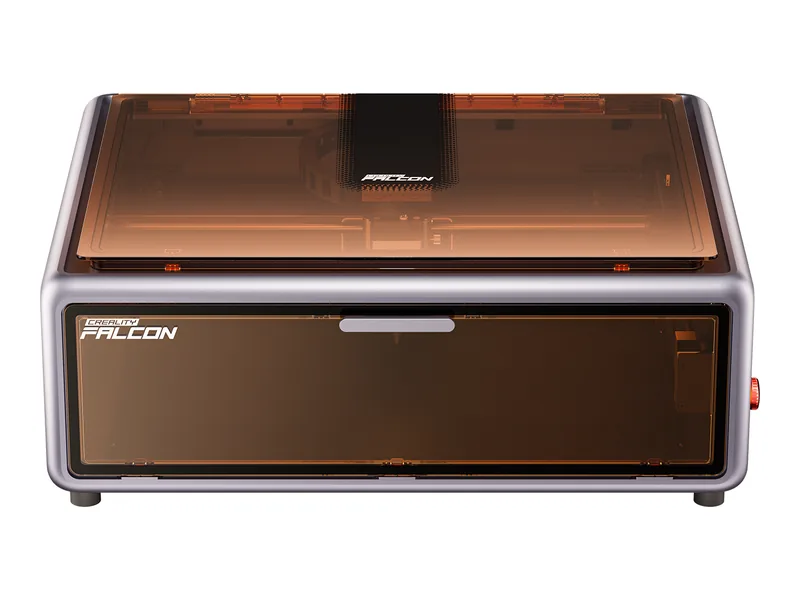
Image: Creality
$549.00 on Amazon (prices checked Nov 18, 2026)
- Laser: 10 W optical output, 455 nm diode, 0.06 × 0.08 mm spot
- Work area: 381 × 305 mm
- Features: enclosed Class 1, CoreXY motion up to 600 mm/s, pre-calibrated camera, air assist equipment in the box, extraction fan, emergency stop
- Software: Falcon Design Space, LightBurn, LaserGRBL
- Good for: a beginner who wants an enclosed machine with a usable bed
- Watch out: the listing has no autofocus. The Amazon title says "80W", but that is machine power, and the beam is 10 W.
Where to buy: Amazon · Creality
Sculpfun E1
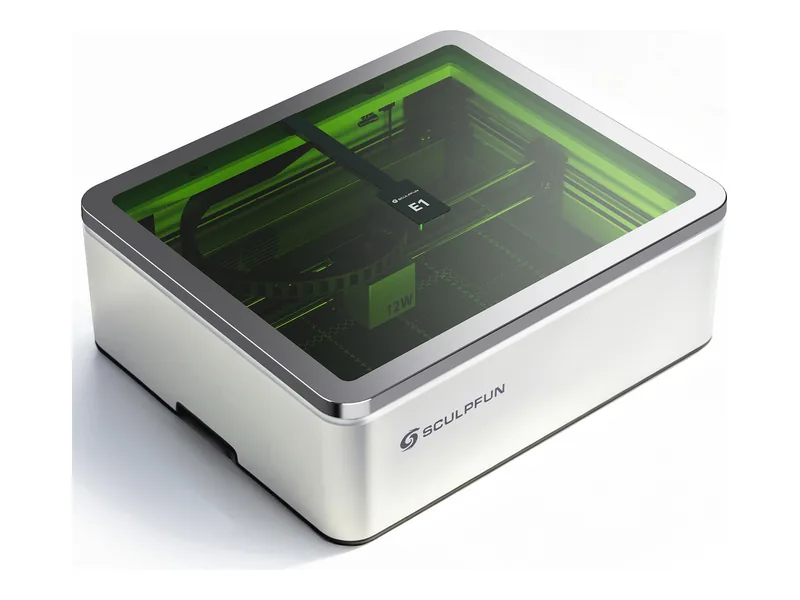
Image: Sculpfun
$599.00 on Amazon (maker price $499 for the 12 W single-laser model; prices checked Nov 18, 2026)
- Laser: 12 W optical output, 455 nm, 0.04 × 0.06 mm spot (a 3 W 1064 nm IR module is sold as a dual version)
- Work area: 400 × 320 mm
- Features: enclosed Class 1, CoreXY, built-in camera, air pump and honeycomb panel, dual exhaust fans, up to 42 mm material thickness. Manual focus.
- Software: Sculpfun Space, LightBurn, LaserGRBL
- Good for: an enclosed machine at a lower price than the other cabinets
- Watch out: the maker's own store is $100 cheaper than Amazon right now, so compare. Camera calibration and manual focusing are on you.
Where to buy: Amazon · Sculpfun
Atomstack A40 Pro V2
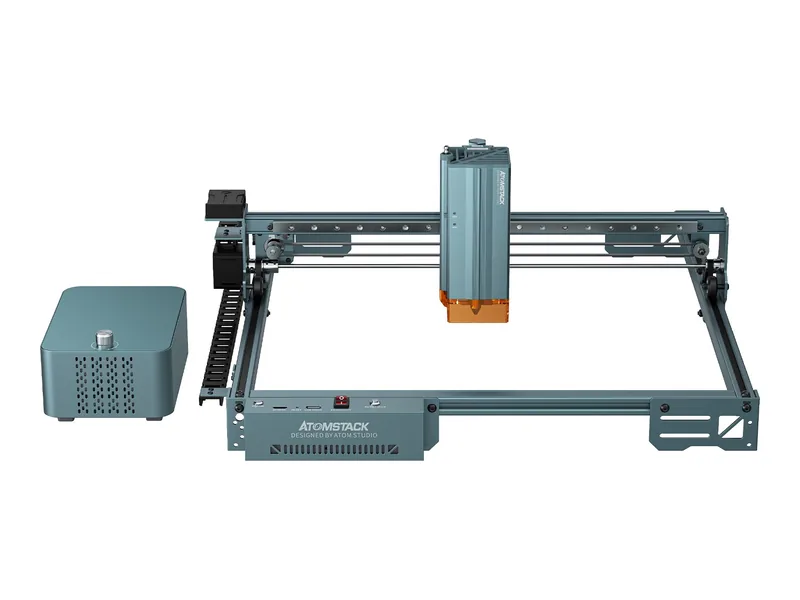
Image: Atomstack
$739.99 on Amazon (maker price $769 with the F60 air-assist kit; prices checked Nov 18, 2026)
- Laser: switchable 48 W / 24 W diode head (Atomstack's rating, not independently measured), 0.08 × 0.10 mm spot
- Work area: 385 × 400 mm, expandable to 385 × 850 mm with an extension kit
- Features: open frame, one-key auto focus, air assist included, flame and tilt detection, no camera
- Software: Atomstack software; in LightBurn, add it as a standard GRBL device (community-confirmed)
- Good for: thick wood and acrylic cutting in a shop or garage with real ventilation
- Watch out: a serious fire risk if left alone. It is open frame, so use glasses and exhaust. Amazon also sells a 44 W variant of the A40, so confirm the exact model.
Where to buy: Amazon · Atomstack
Sculpfun E1 Pro
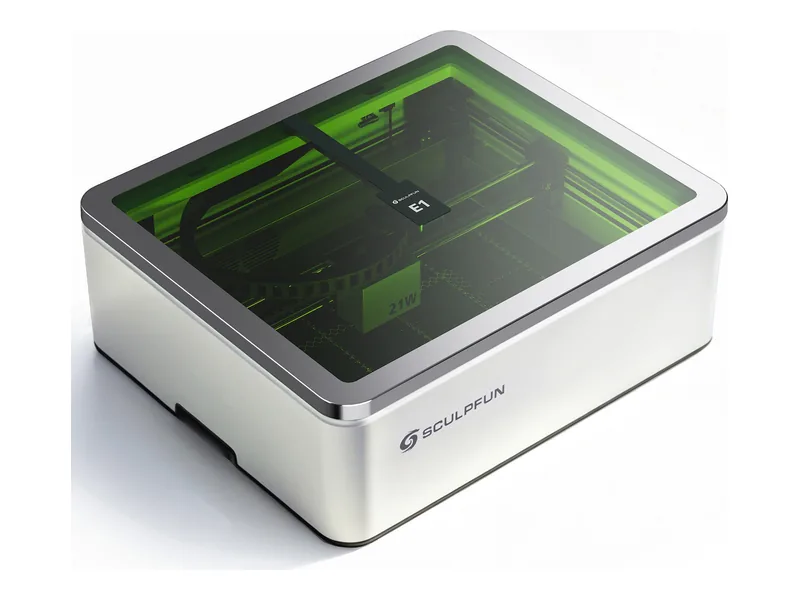
Image: Sculpfun
$799.00 on Amazon (maker price $799, marked down from $949; prices checked Nov 18, 2026)
- Laser: 21 W optical output, 455 nm, 0.04 × 0.06 mm spot; cuts up to 12 mm wood in one pass per the maker
- Work area: 400 × 320 mm
- Features: enclosed Class 1, CoreXY, built-in camera, air pump, honeycomb, dual exhaust fans. Manual focus.
- Software: Sculpfun Space, LightBurn
- Good for: an enclosed machine that can also cut
- Watch out: Amazon showed no availability message when checked, so confirm stock before ordering.
Where to buy: Amazon · Sculpfun
Ortur Laser Master 3
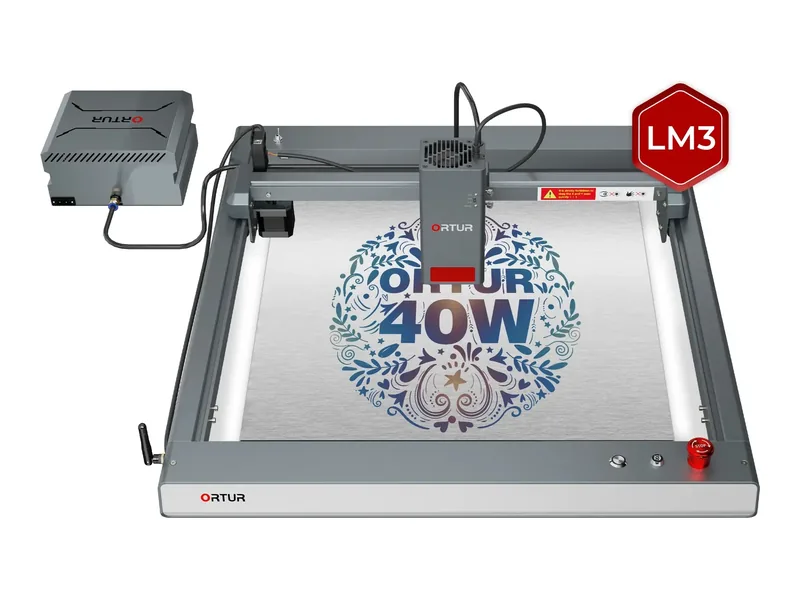
Image: Ortur
$829 for the 20 W Basic model at Ortur (list $1,399; prices checked Nov 18, 2026). We did not verify an Amazon listing for this model, so this is a maker link only.
- Laser: 20 W (also sold as 10 W at $499 and 40 W at $1,299 on the same page)
- Work area: 400 × 380 mm for 20 W and 40 W (400 × 400 mm for 10 W), extendable to 400 × 850 mm
- Features: open frame, free Ortur air pump with the 20 W and 40 W models, USB, Wi-Fi, and TF card
- Software: Ortur app, LightBurn, LaserGRBL
- Good for: a hobbyist who wants an open-frame machine from a long-running brand
- Watch out: no enclosure and no camera listed. Check Ortur's current price, because it changes often.
Where to buy: Ortur
Creality Falcon2 Pro S
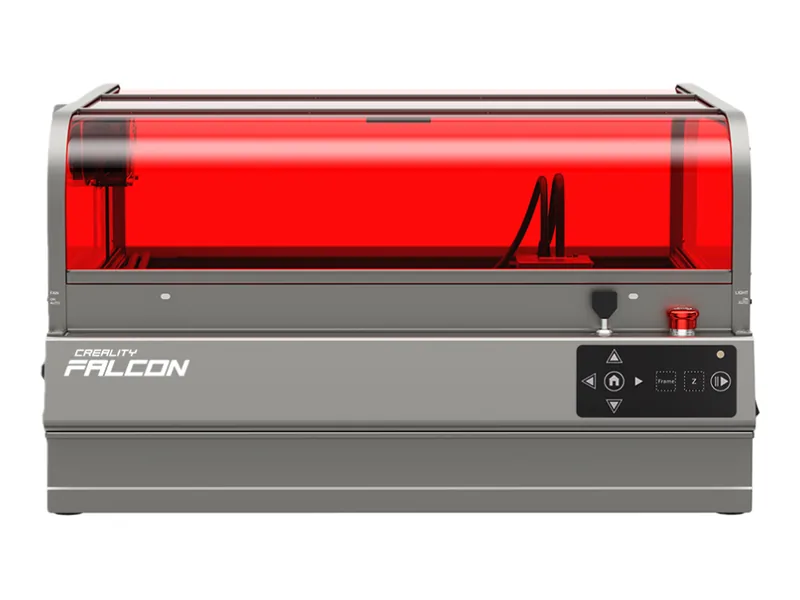
Image: Creality
$849.00 on Amazon for the 22 W model (maker price $899, MSRP $1,099; prices checked Nov 18, 2026)
- Laser: 22 W optical output, 455 nm diode (a 40 W Pro S exists above this tier)
- Work area: 13.98 × 15.35 in per the US maker page (Creality's UK page lists 400 × 415 mm — confirm before you buy)
- Features: enclosed Class 1, integrated air assist, built-in top camera, one-click autofocus, flame and lens monitoring, drawer for debris
- Software: Falcon Design Space, LightBurn, LaserGRBL (Windows and macOS)
- Good for: a small business that wants a ready-to-run enclosed diode
- Watch out: the Amazon title says "120000mW", which is machine power. It still needs exhaust or a purifier.
Where to buy: Amazon · Creality Falcon
Tier 3: Notable xTool diode lasers
xTool makes the most polished diode machines, with strong cameras, software, and accessories. The catch for LightBurn users: xTool's M2 does not work with LightBurn, and LightBurn can't use xTool's built-in cameras on any model. Prices below are from xtool.com on Nov 18, 2026.
xTool affiliate links pending
xTool links on this page are Bearded Builds affiliate links. Buying through them supports the wiki at no extra cost to you.
| Laser | Price (xtool.com, Nov 18, 2026) | Diode output | Work area | Air assist | Enclosure | Camera / autofocus | LightBurn |
|---|---|---|---|---|---|---|---|
| xTool M2 | $499 (10 W) · $899 (20 W) · $1,299 (40 W) | 10 / 20 / 40 W | 426 × 320 mm (40 W: 426 × 312 mm) | Built-in pump | Enclosed, Class 1 | Dual cameras / auto focus | No |
| xTool F2 | $1,299 | 15 W diode + 5 W IR | 115 × 115 mm | Not listed | Enclosed, eye-safe | 50 MP camera / autofocus | Yes (2.2, no cameras) |
| xTool S1 | $1,448 (40 W Basic) — sold out on xtool.com | 40 W | 498 × 319 mm | Optional Smart Air Assist | Enclosed, Class 1 | Dual cameras / auto focus | Yes (USB) |
| xTool F1 Ultra | $2,549 (list $2,999) | 20 W diode + 20 W fiber | 220 × 220 mm | Not listed | Enclosed, safety cover | 16 MP camera / autofocus | Yes (2.2, no cameras) |
| xTool F2 Ultra | $5,299 dual (60 W MOPA + 40 W diode) | 40 W diode + 60 W MOPA fiber | 220 × 220 mm | Not listed | Enclosed, safety cover | Dual 48 MP cameras / autofocus | Yes (2.2+, no cameras) |
xTool M2
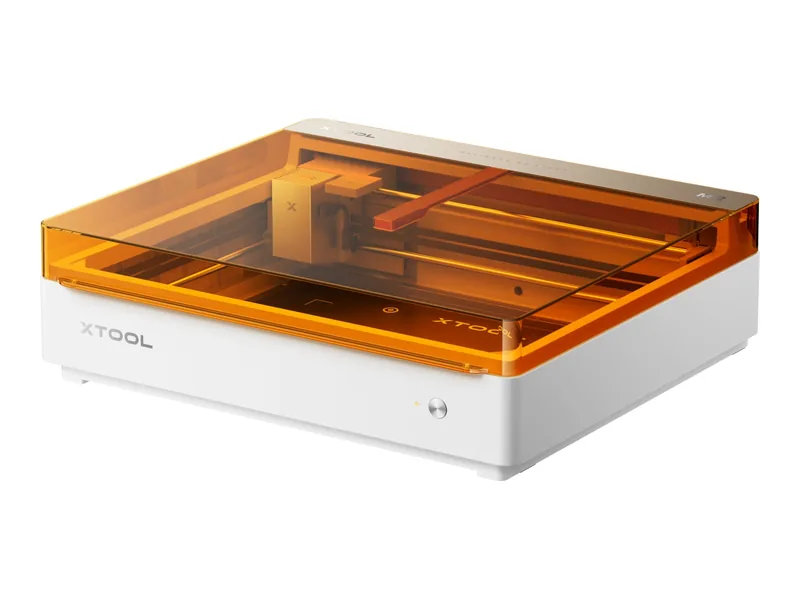
Image: xTool
$499 (10 W) · $899 (20 W) · $1,299 (40 W) standalone at xtool.com; bundles run higher (prices checked Nov 18, 2026)
- Laser: 10, 20, or 40 W blue diode (445 nm). A 3 W IR module and a CMYK inkjet module are optional add-ons.
- Work area: 426 × 320 mm (40 W: 426 × 312 mm)
- Cutting (maker figures, single pass): basswood up to 8 / 10 / 15 mm and black acrylic up to 3 / 8 / 11 mm for 10 / 20 / 40 W
- Features: enclosed Class 1, built-in air pump, dual cameras, automatic focus and thickness measurement
- Software: xTool Studio (Windows and macOS). Not compatible with LightBurn.
- Good for: crafters who want print-and-cut and an all-in-one experience and don't plan to use LightBurn
- Watch out: if you want to learn LightBurn, pick another machine. The M2 has no external air port, so you can't use your own air pump.
Where to buy: Buy the xTool M2 at xtool.com
xTool F2
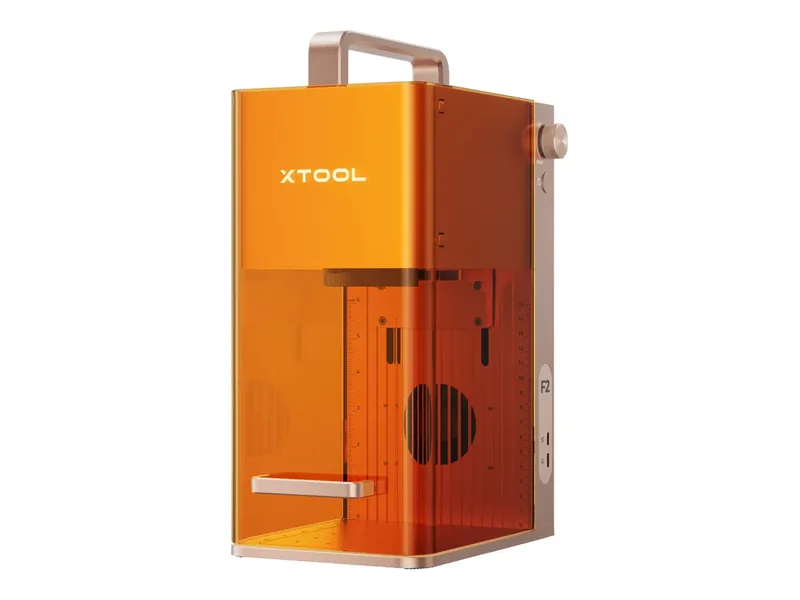
Image: xTool
$1,299 standalone at xtool.com (bundles from $1,449; prices checked Nov 18, 2026)
- Laser: 15 W blue galvo diode plus a 5 W 1064 nm IR laser. The IR laser is a different laser type, used for metal marking.
- Work area: 115 × 115 mm, 115 × 400 mm with the Slide Extension, up to 120 mm tall
- Features: 50 MP camera with autofocus, up to 6,000 mm/s, compact eye-safe design for on-site engraving. Great for tags, jewelry, and market booths. It is not a cutting workhorse.
- Software: xTool Studio and LightBurn (LightBurn 2.2 or newer, with the latest firmware). LightBurn can't use the camera.
- Good for: small-batch, high-detail work, especially if you also want to mark metal
- Watch out: the tiny field. Its diode cuts less than the open-frame diodes above, and customer reviews on xTool's page note limits cutting leather.
Where to buy: Buy the xTool F2 at xtool.com
xTool S1
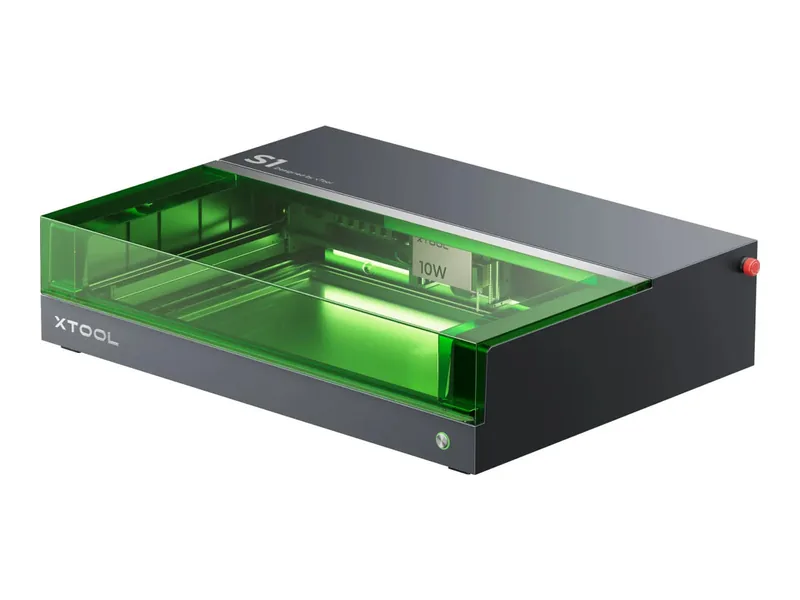
Image: xTool
$1,448 for the 40 W Basic bundle, but sold out on xtool.com when checked (prices checked Nov 18, 2026). Check stock and restock notices.
- Laser: 40 W blue diode, 0.08 × 0.10 mm spot (an optional 2 W 1064 nm IR module exists)
- Work area: 498 × 319 mm (19.6 × 12.5 in), with pass-through for long pieces
- Features: enclosed Class 1, dual cameras, one-click auto focus, flame detection, emergency stop and lid-open stop, optional Smart Air Assist
- Software: xTool Creative Space and LightBurn over USB (LightBurn lists the S1 as supported, but not the cameras)
- Good for: an enclosed, LightBurn-friendly 40 W diode with a big bed
- Watch out: availability. xTool also sells refurbished S1 units at times.
Where to buy: Buy the xTool S1 at xtool.com
xTool F1 Ultra
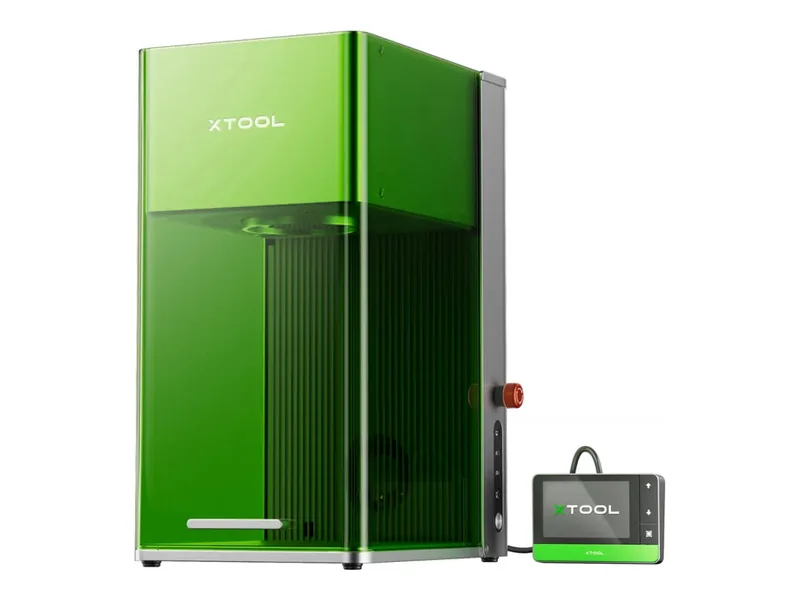
Image: xTool
$2,549 standalone (list $2,999; the conveyor bundle is $2,999; prices checked Nov 18, 2026)
- Laser: 20 W blue galvo diode plus 20 W fiber. The diode cuts wood up to 15 mm and acrylic up to 12 mm per xTool, in multiple passes. The fiber is for metal.
- Work area: 220 × 220 mm, 220 × 500 mm with the conveyor
- Features: 16 MP camera, autofocus, up to 10,000 mm/s, enclosed cover with fire safety stop
- Software: xTool Studio; LightBurn 2.2 supports it, including switching between the two laser sources (update firmware first, and the camera doesn't work in LightBurn)
- Good for: a small shop that wants one machine for wood, acrylic, and metal marking
- Watch out: price, and the field is small compared with a gantry diode
Where to buy: Buy the xTool F1 Ultra at xtool.com
xTool F2 Ultra
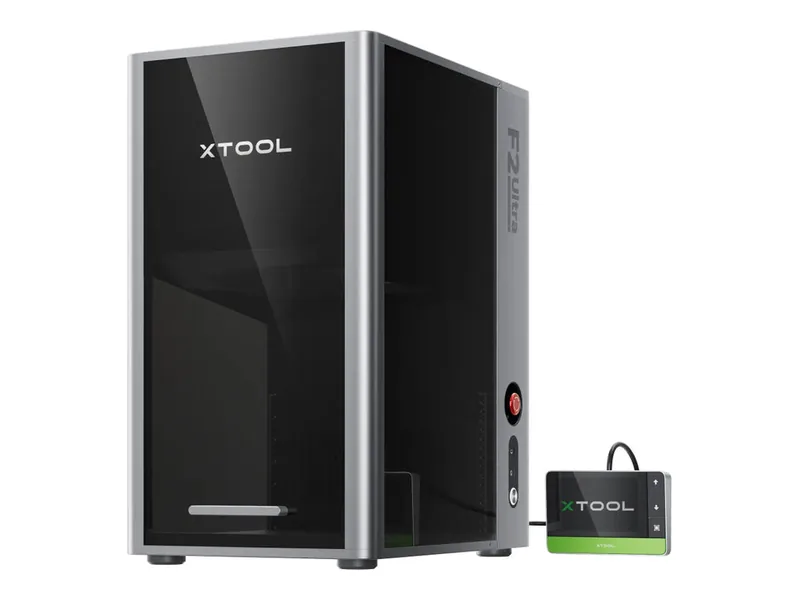
Image: xTool
$5,299 for the dual laser (60 W MOPA fiber + 40 W diode) standalone (prices checked Nov 18, 2026)
- Laser: 40 W blue diode plus a 60 W MOPA fiber for color marking and cutting thin metal
- Work area: 220 × 220 mm, 220 × 500 mm with the conveyor
- Features: dual 48 MP cameras, up to 15,000 mm/s, enclosed with eye-protection cover and fire safety stop
- Software: xTool Studio; LightBurn 2.2.0 and above supports it (not the cameras)
- Good for: a business marking metal at volume that also wants a diode for wood, acrylic, and leather
- Watch out: this is a metal-marking machine first and a diode second. It is far out of hobby-diode price territory.
Where to buy: Buy the xTool F2 Ultra at xtool.com
Older xTool models
xTool's D1 Pro, M1 Ultra, and the original F1 are no longer sold as new units on xtool.com's US store as of Nov 18, 2026. The original F1 shows up only as a refurbished unit. LightBurn still supports the D1 Pro and the F1. If you find one used, check firmware and compatibility first.
Before you buy
- Ventilation first. Every diode makes smoke, enclosed or not. See ventilation and safety.
- Eye protection. Wear glasses rated for blue diode light on open frames, and keep pets and kids away. See laser eye safety and fire.
- Budget the extras. Air assist, honeycomb, exhaust, a fire extinguisher, rotary, and test materials add up. Our laser buying guide and gear we use cover them.
- Focus and alignment. See focus and alignment for dialing in the beam.
- Know the diode's limits. If clear acrylic or bare metal is your main work, look at CO₂ or fiber. See laser types.
- Check the price again. These are Nov 18, 2026 snapshots.
Related reading
- Laser buying guide
- Gear we use
- Laser types: diode, CO₂, fiber, and UV
- Ventilation and safety
- LightBurn basics
- Finding your settings
Go further
Primary next step
Master LightBurn
Structured LightBurn training from Bearded Builds — skip the scattered YouTube rabbit holes. Lifetime access with updates.
Also: Shop custom plaques · YouTube · Course hub